📅 Delivery date at checkout
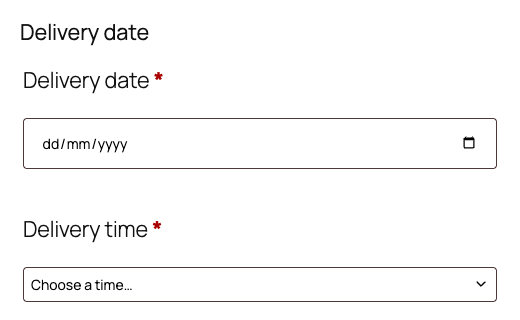
A required (or optional) date field with minimum lead time and a booking window you control.
A lightweight WooCommerce plugin that just works — locale-safe, correct timezone & cutoff, and runs on both the classic and the new block checkout.
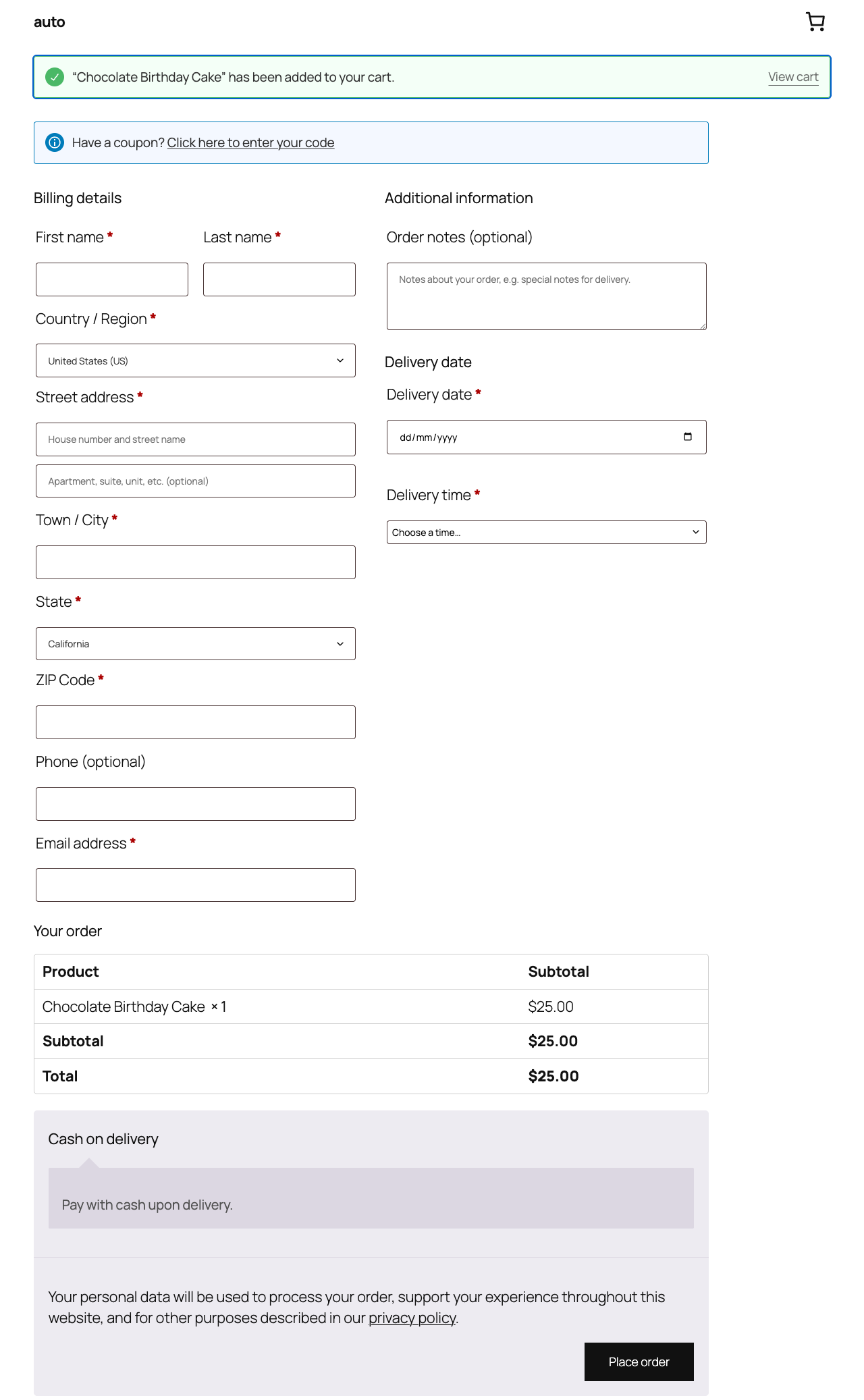
Built for bakeries, florists, food & grocery, and any WooCommerce store that delivers
The earliest date is calculated in your store timezone. Orders placed after your cutoff correctly move to the next day — no "ordered after 2pm but still got today" bugs.
Uses the browser's native date input — no jQuery UI, so it never breaks in non-English languages like older plugins do.
Hooks into WooCommerce cleanly, HPOS-compatible, and degrades gracefully if WooCommerce is inactive. It stays light.
A required (or optional) date field with minimum lead time and a booking window you control.
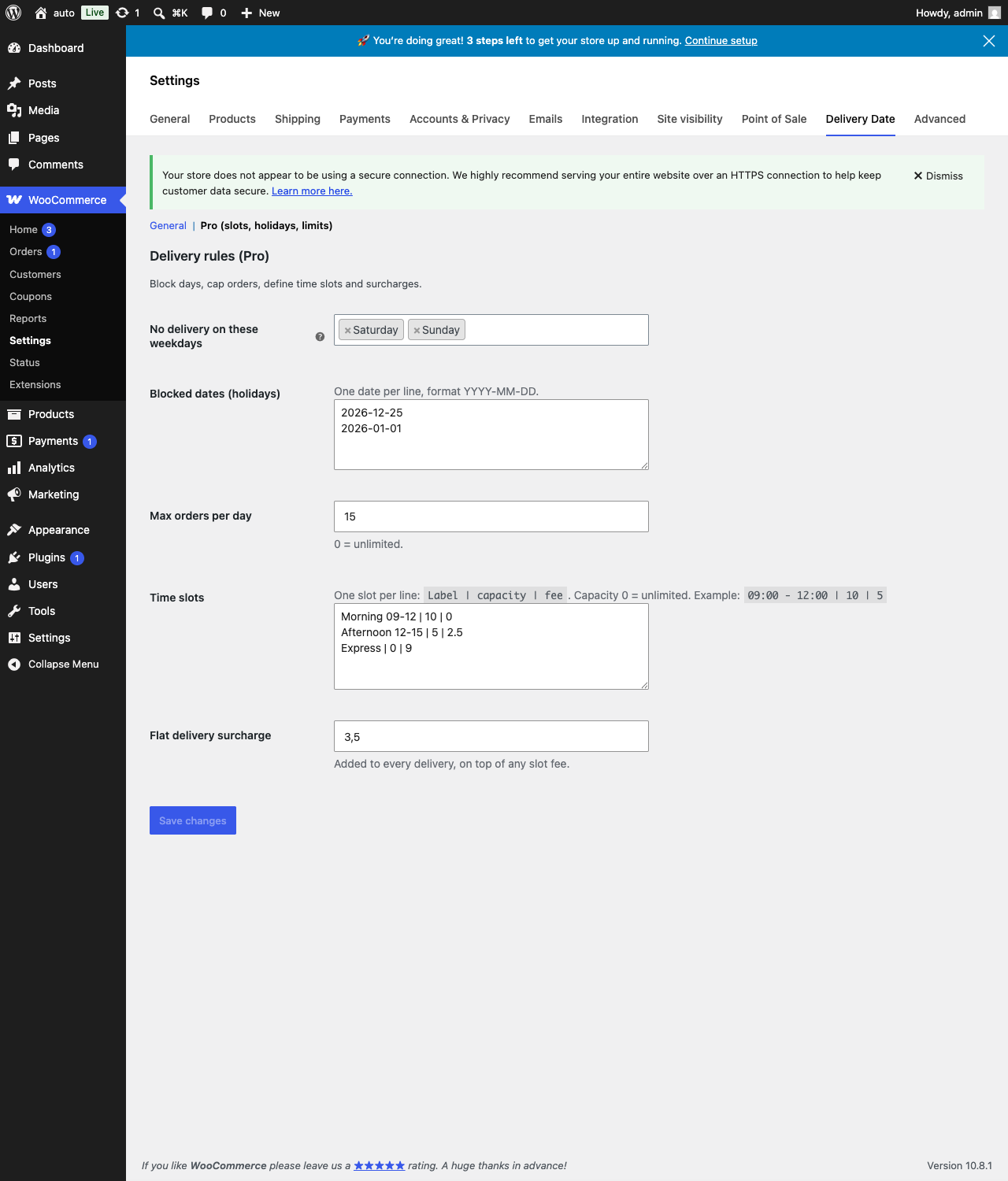
Offer morning/afternoon/evening windows, each with its own capacity and optional fee.
Disable weekdays you don't deliver and add holiday dates customers can't pick.
Cap how many deliveries you accept per day (and per slot) so you never over-book.
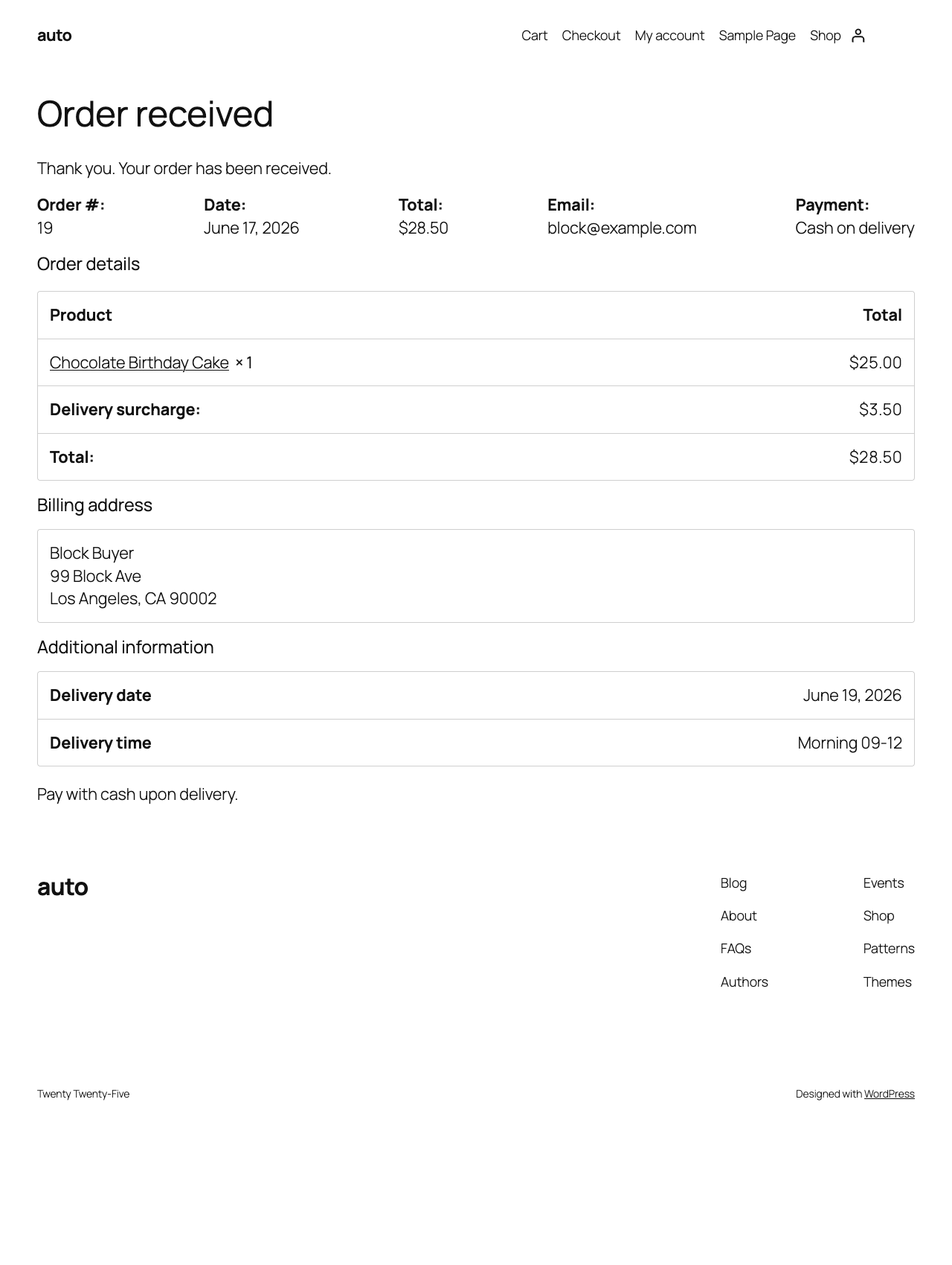
Add a flat fee or per-slot fee — e.g. charge extra for express or weekend delivery.
The date is saved to the order and shown in admin, emails, the thank-you page and My Account.
| Feature | Free | Pro |
|---|---|---|
| Delivery date at checkout (classic & block) | ✓ | ✓ |
| Lead time, booking window, cutoff | ✓ | ✓ |
| Saved to order, emails, My Account | ✓ | ✓ |
| Time slots + capacity | — | ✓ |
| Blocked weekdays & holidays | — | ✓ |
| Daily order limits | — | ✓ |
| Delivery surcharge | — | ✓ |
| Priority email support | — | ✓ |
Annual license by number of sites. Every paid plan includes all Pro features and a 14-day refund.
1 site.
Up to 5 sites.
Up to 25 sites.
All prices in USD. Tax/VAT is calculated at checkout. Payment & licensing are handled securely by our checkout partner.
Yes. On the classic checkout you get a native date picker; on the block checkout the date appears as a dropdown of available dates. Both save to the order the same way.
No. Install, activate, and configure everything from WooCommerce → Settings → Delivery Date. No coding required.
Yes. The free version adds the delivery date field, lead time, booking window and cutoff. Pro adds time slots, blocked days/holidays, daily limits and surcharges.
14-day no-questions-asked refund on every paid plan. See our refund policy.
All major credit/debit cards and PayPal, in USD. Tax is calculated and handled at checkout by our payment partner.
Start free, or get Pro today and unlock slots, holidays, limits and surcharges.
Get Pro →